 Clipper
Cut on the frame you meant.
Clipper is a small Mac app for taking one precise clip out of a video. Mark the first and last frame, frame it for where it’s going, export an MP4.
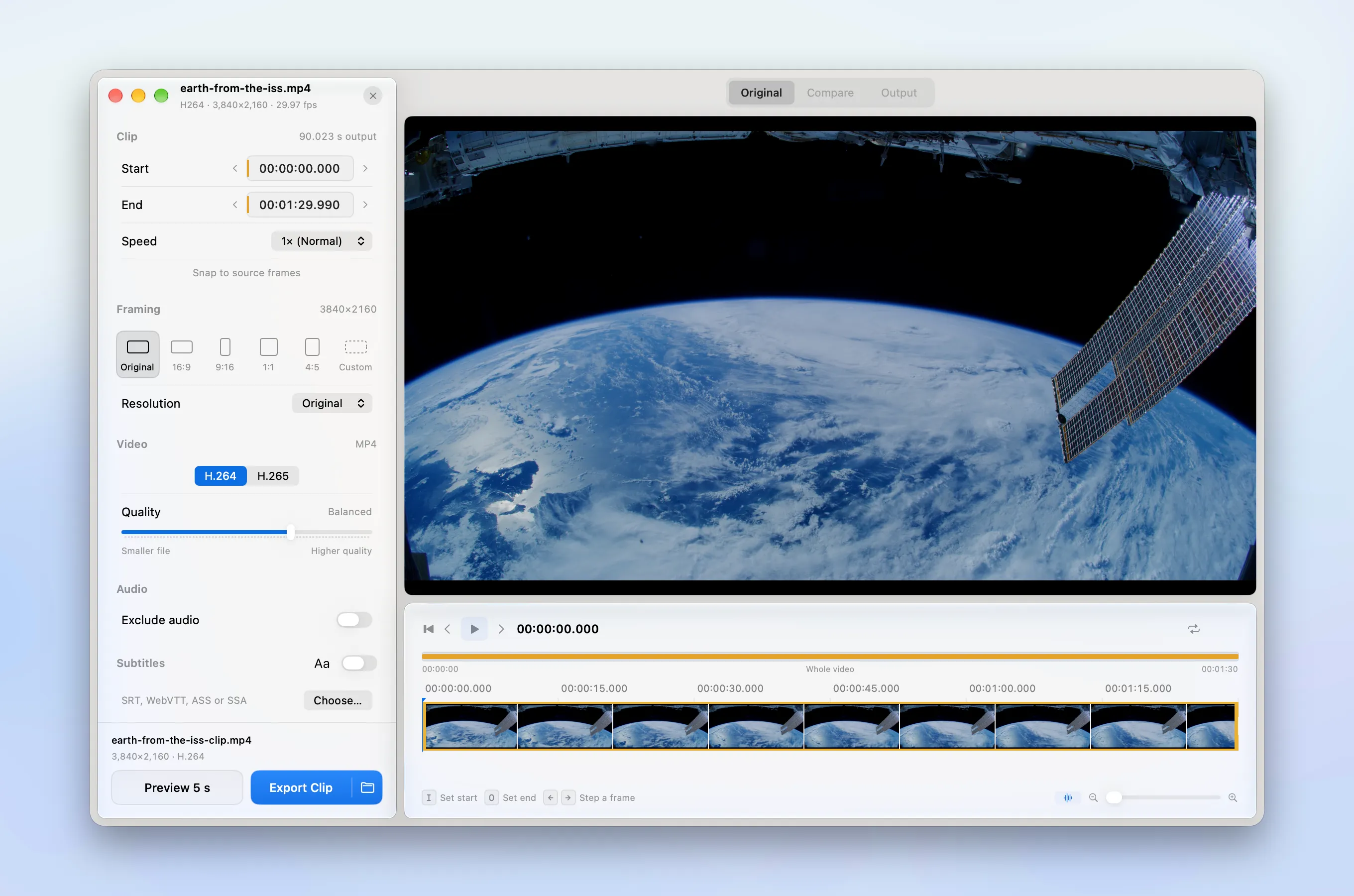
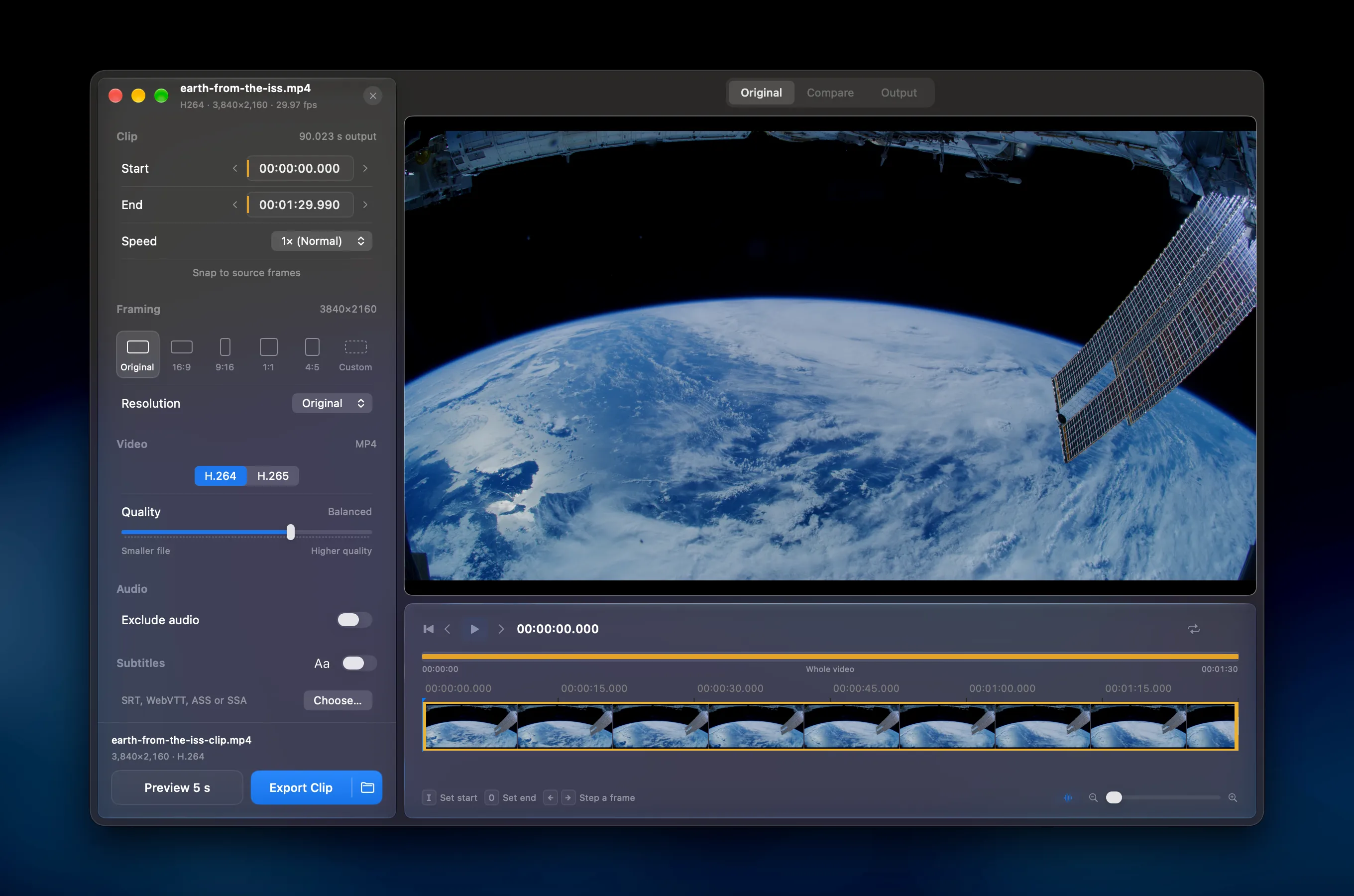
















Every thumbnail, step and timestamp comes from a real decoded frame. Clipper opens MP4, MOV, MKV, WebM and AVI straight away, with no proxy files to wait for.
Mark the exact frames
Press I on the first frame you want and O on the last. Left and Right step one frame at a time, even in variable-frame-rate phone video.
Start and End are editable. Type seconds or a full timestamp and Clipper snaps to the nearest real frame.
Drag the amber edges, or focus one and use the arrow keys to step a frame. Shift steps a second.
Hear where it cuts
Loop the selection while you nudge an edge. Audition plays the last second before the out point once and holds the final frame, so you can hear whether a word gets clipped.
Turn on the waveform to see speech and beats under the filmstrip.
Frame it for where it’s going
Crop to 16:9, 9:16, 1:1, 4:5 or your own ratio, then drag the crop where the action is. Resolution presets only ever scale down.
Speed runs from 0.25× to 4× with the pitch kept natural.
Check it before you wait for it
Preview 5 s encodes a real sample with your settings. Compare puts a wipe between the original and the output so you can judge the quality slider by eye.
Hardware H.264 and H.265 encoding. HDR stays HDR, or converts to SDR when you ask.
Clip from a link
Paste a URL with Cmd-V. Clipper downloads the best video and audio, or lets you pick formats from a table. For long streams, import only a rough time range.
Burn in subtitles from the video or from an SRT, WebVTT, ASS or SSA file.
| ID | Ext | Resolution | FPS | Size |
|---|---|---|---|---|
| 401 | mp4 | 3840×2160 | 30 | 1.9 GB |
| 137 | mp4 | 1920×1080 | 30 | 412 MB |
| 136 | mp4 | 1280×720 | 30 | 188 MB |
| 140 | m4a | audio only | 31 MB |
Keep your hands on the keys
- Play or pause
- Space
- Step a frame
- ←→
- Set start and end
- IO
- Loop selection
- ⌘L
- Audition the cut
- ⇧⌘L
- Undo and redo
- ⌘Z⇧⌘Z
- Paste a video or URL
- ⌘V
- Export clip
- ⌘E